Showing posts with label tech. Show all posts

Wednesday, July 9, 2008

e-cleaning

So I started organizing my bookmarks yesterday and wow do I have a ton of them. I have over 50 folders and lord knows how many bookmarks in each. I WILL get through them all by the end of this week!!! I've also backed them up in del.icio.us (please, if you haven't yet - back up your bookmarks now!! You never know when your computer will decide to quit on you and poof all your favorites gone).

You can do two simple things...
1) Export your favorites/bookmarks and email yourself the "bookmark.html" file so you'll have it even if our computer crashes. Note that you won't have bookmarks that you save after you export the file... so your safe bet would be to do ...
2) sign-up for a free account at http://del.icio.us/ (I'm sure there are others but that's the one I use and back up your current favorites there and continue using their service instead of saving your bookmarks on your computer. OH and yes, it is a "social bookmarking" web service, but you don't have to make your faves public. Just make sure you choose the private option.

In the meantime, here are some fun links that I found while cleaning up...

How well do you know your chocolate bars?

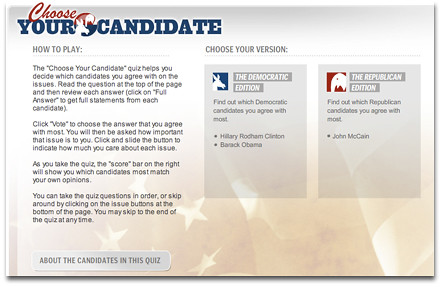
Still unsure about who to vote for this fall? Take this choose your candidate quiz...
Monday, August 20, 2007

Birth Announcement

Weekend highlight:


It's a healthy 20.5" and 25.4 pounds...

Thursday, August 16, 2007

Making sense of Internet jargon


As somebody who worked in the online industry for many many years, using Internet jargon is second nature to me. But that's not true for everyone, specially my mom!

So check out netlingo.com and be in the know, the next time you hear minisite, web 2.0, or social networking. They also have a collection of instant messaging acronyms - JSYK (just so you know), IM2BZ2P (I'm to busy to even pee).

Firefox goes berserk!

I've been having some major issues with Firefox lately. It's been really really slow and I'm getting to know little miss apple pinwheel a little too well!

So, the English Muffin (isn't that a great name for him? I can't take full credit for it - I was watching "So you think you can dance?" last night, i know i know, and that's what she called Nigel) suggested that I use Safari. But I can't use Safari because Blogger isn't fully compatible with it, I lose the formatting toolbar. Anyay, he then suggests OPERA, which is OK but IT isn't compatible with the recently upgraded Flickr upload tool...urggg. OH NO, as I'm writing this post I'm noticing that Blogger is buggy on this browser too... urrggggh...what am I going to do??

But I do have to give credit where it's due and share its cool features:

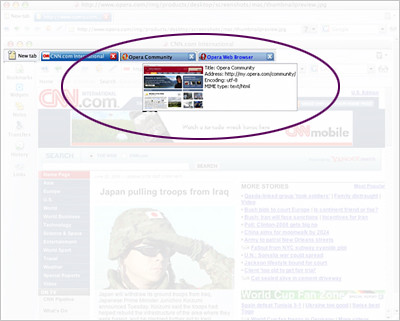
Thumbnail Preview


You can use tabs just like in Firefox, but you get a useful thumbnail of the sites when you hover over the tabs. So when you have 50 tabs open, it makes it easier to find what you're looking for.

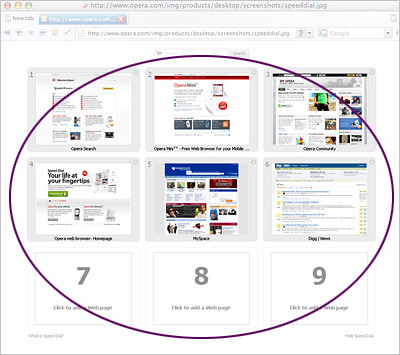
Speed Dial


Accessing your favorites has never been so easier. When you create a new tab, you get this screen which has 9 slots that you can fill up with your faves. Obviously, you can also just click on your personal toolbar favorites or just type in a URL... but I think the visual buttons are easier and quicker to use!

Anyway, let me know if you have any suggestions. I'm going to reinstall Firefox and re-import my bookmarks and see if that helps at all.

Thursday, August 9, 2007

The mobile user's guide to: THE NEW SOCIAL ETIQUETTE


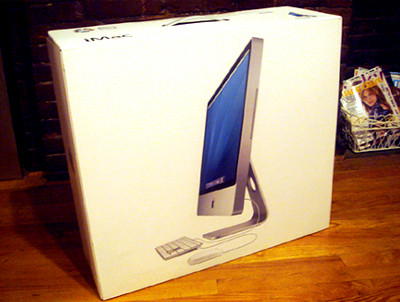
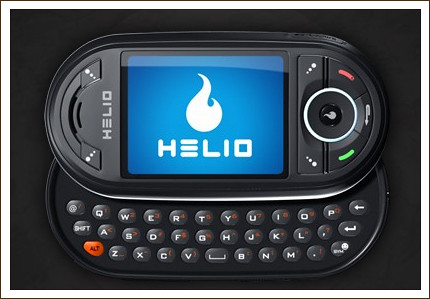
I've had the Helio Ocean for about a month now and I'm very happy with it. I really wanted the iPhone but I swore to myself that I would never buy the first batch of any Apple product. I had an awful experience with my MacBook - let's just say I became a regular at the genius bar and padded boxes were involved more than once.

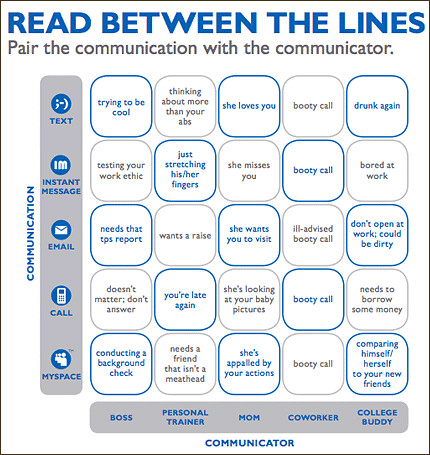
I was flipping through LUCKY and noticed Helio's "The New Social Etiquette" print-insert campaign. I thought it was a pretty good marketing piece. Pretty amusing and they did a great job of subliminally getting the Ocean's features across.


Download the full mobile social guide

Monday, August 6, 2007

Never miss a call!!!


Another great product acquired by Google - I think they're going to end up taking over the world. Check out Grand Central, a new free service from Google that allows you to register multiple numbers (work, home, mobile) and then gives you 1 phone number for life.


You get voicemail and tons of options like personalized greetings per contact or "CallSwitch" - the option to transfer a call from your home or office phone to your mobile when you are heading out the door. It's in Beta right now, so it seems like there's a slight wait. Leave a comment w/ your email address if you want me to send you an invite and skip the wait.